How squeegee angle, speed, pressure and width affect solder paste printing in PCBA, with recommended settings for each parameter.
 Onlitex Engineering Team2 min read
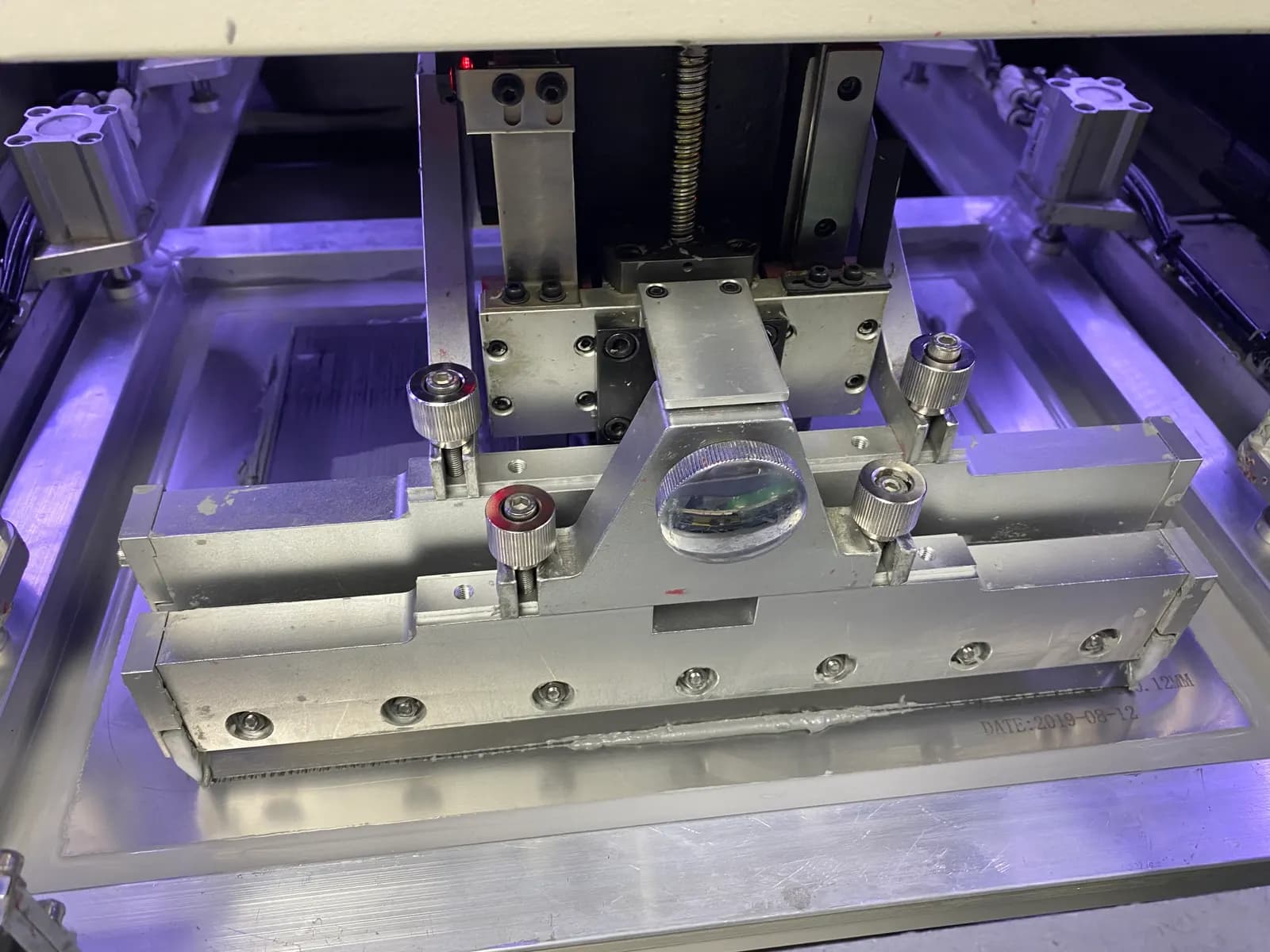
The squeegee (scraper) system of a solder paste printer consists of the print head (the squeegee lift control device and mounting parts), the squeegee beam and the drive (servo motor and synchronous gear drive). The sections below discuss how the squeegee system influences PCBA processing.
1. Squeegee angle
In electronics production, the angle of the squeegee determines the vertical force it applies to the solder paste: the smaller the angle, the greater the vertical force. Changing the squeegee angle therefore changes the pressure it applies.
If the squeegee angle is greater than 80°, the solder paste just keeps sliding without rolling. The vertical force is then very small, and the paste is not pressed into the stencil apertures. The optimum squeegee angle is between 45° and 60°, where the solder paste rolls well.
2. Squeegee speed
A higher squeegee speed increases the force on the solder paste, but it also gives the paste less time to be pressed into the apertures. If the squeegee moves too fast, the solder paste cannot roll and only slides across the stencil.
Because it takes time for solder paste to flow into the apertures, this is especially noticeable when printing fine-pitch QFP patterns. When the squeegee travels along one side of a QFP, the paste deposits on the pads perpendicular to the squeegee are fuller than those on the other sides. For this reason, some printers can rotate the squeegee by 45° to ensure uniform, maximum paste volume on all sides of a fine-pitch QFP, so the paste is printed evenly and fully in both the vertical and horizontal directions.
Printing usually works well when the squeegee speed is controlled between 20 and 40 mm/s.
3. Squeegee pressure
When the solder paste is rolling, the squeegee unit applies a downward force, commonly referred to as the printing pressure. Insufficient printing pressure leaves smeared paste on the stencil. Too much printing pressure can cause paste to leak under the stencil and scratch the surface of the board.
The squeegee pressure is therefore usually set at 5–12 N per 25 mm of squeegee length. The ideal squeegee pressure scrapes the solder paste cleanly off the stencil surface.
4. Squeegee width
If the squeegee is too wide relative to the PCB, more pressure and more solder paste are needed, which wastes solder paste. Generally, the best squeegee width is the PCB length (in the printing direction) plus about 50 mm, while making sure that the squeegee head rests on the metal stencil.
Conclusion
The squeegee presses the stencil into contact with the PCB and pushes the solder paste on the stencil forward so that it rolls and fills the stencil apertures. When the stencil is separated from the PCB, solder paste of the right thickness is left on the PCB in the pattern of the stencil. Squeegees are divided into metal and rubber squeegees, which are used in different situations.
To learn more about the stencil itself, read why PCBA needs a stencil.
- #solder paste printing
- #squeegee
- #SMT process
- #stencil